Arm Holdings (ARM) is a stock that can be directly searched by its code on Gate Stocks. If you want to better understand ARM’s business positioning and architectural differences, refer to ARM Stock Business Model and ARM Architecture and Low-Power Design. This article focuses exclusively on the trading process without repeating company analysis.
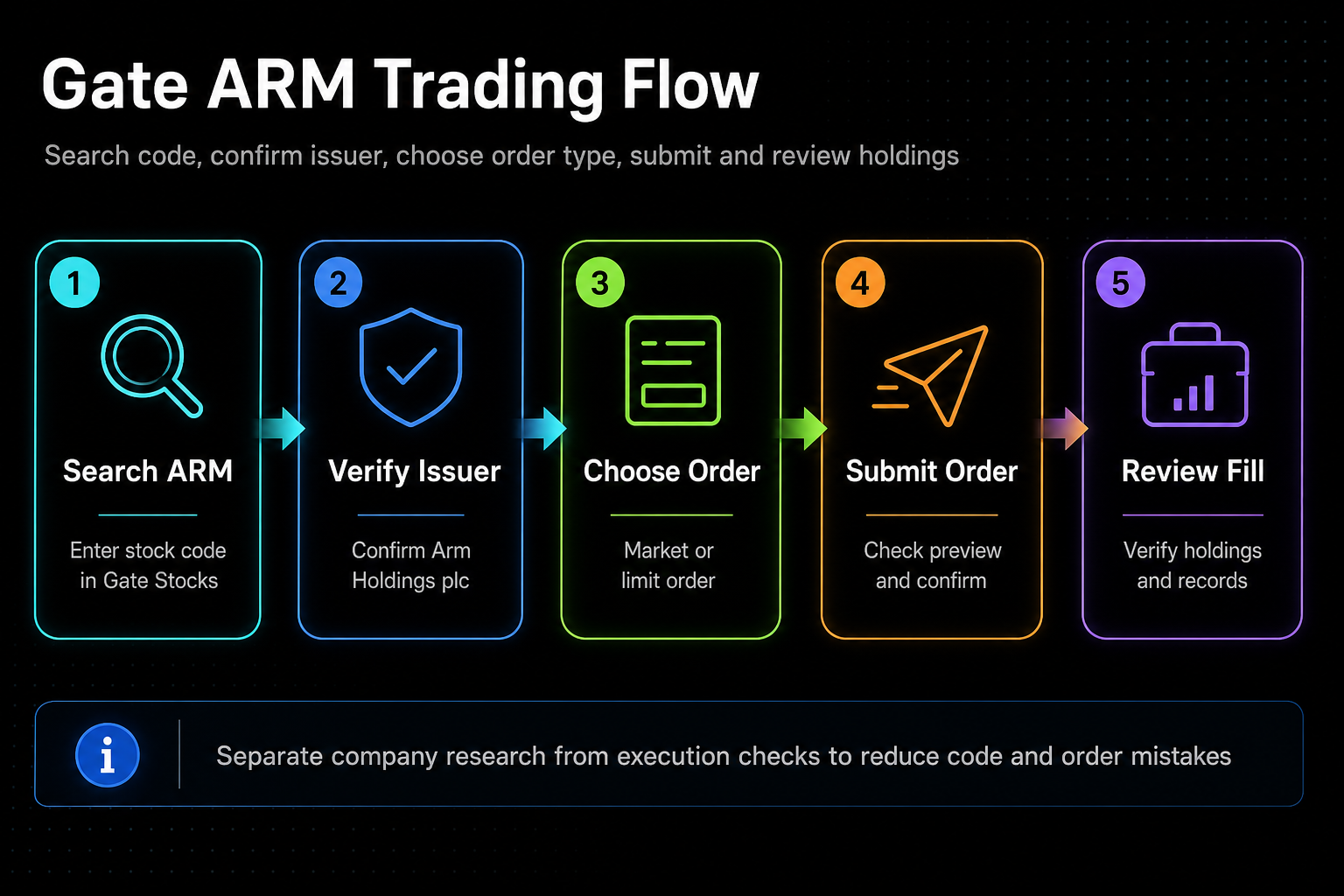 Figure 1. ARM trading flow on Gate: search by code, verify entity, select order, and review holdings.
What Do You Need to Prepare Before Trading ARM on Gate?
Before you start trading, verify your account eligibility, stock trading permissions, and funding requirements, then ensure you have available USDT. The platform interface, order rules, and company entity are three distinct items that must each be checked.
| Preparation Item |
What to Confirm |
Purpose |
| Account Permission |
Can you trade stocks? |
Ensure the function is enabled |
| Funds |
Do you have available USDT? |
Ensure you can place orders |
| Asset |
Is it confirmed as ARM? |
Avoid selecting the wrong code |
| Rules |
Order types and trading hours |
Prevent execution errors |
How Do You Search and Confirm ARM Stock?
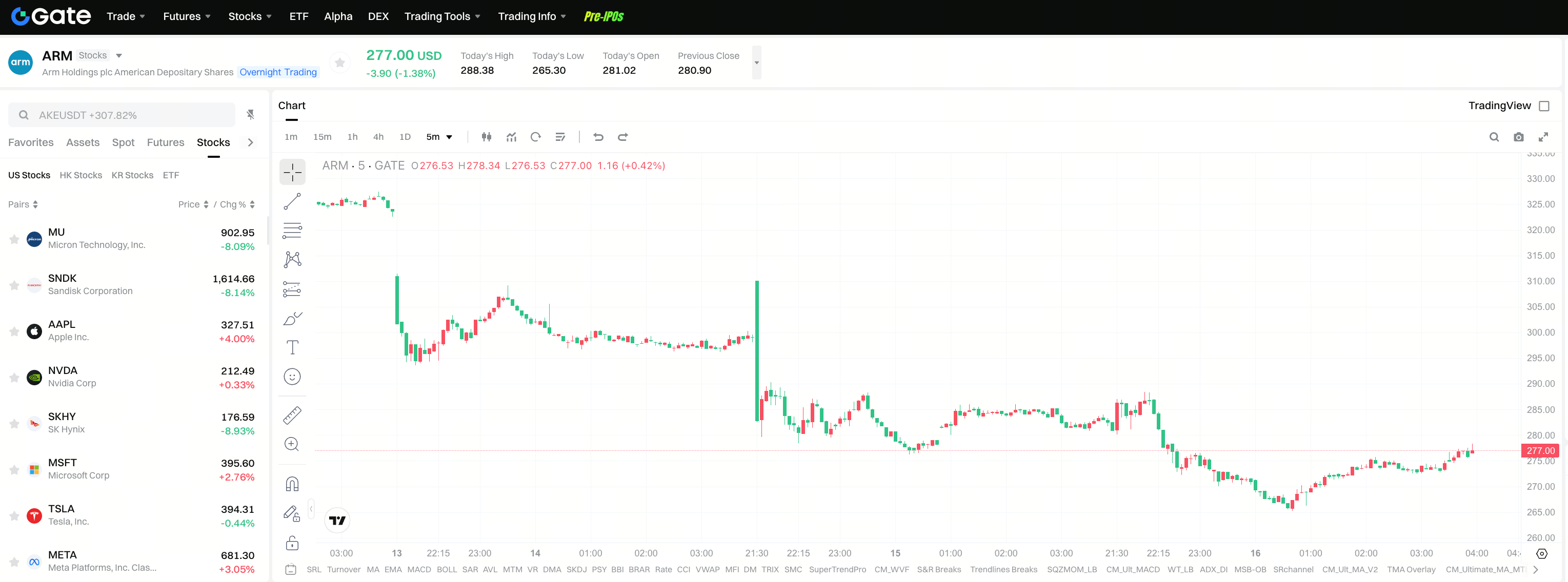
Once in Gate Stocks, enter the code ARM directly. After searching, confirm the company name is displayed as Arm Holdings plc, not another similar asset.
The key here isn’t just “finding the page,” but ensuring the entity is correct. The stock code, company name, and market information must all be checked together to avoid confusing different assets.
How Do You Place an Order to Buy ARM Stock on Gate?
Once the asset is confirmed, choose the order type, input the quantity or amount, and review the order preview. Different order types correspond to different execution methods, so select based on your trading needs.
| Step |
Operation |
Notes |
| 1 |
Search for ARM |
Verify the company entity |
| 2 |
Choose order type |
Confirm whether it’s market or limit order |
| 3 |
Enter quantity/amount |
Check if funds are sufficient |
| 4 |
Submit order |
Review the execution preview |
| 5 |
View holdings |
Confirm the execution result |
After placing your order, review your trading records and holdings page to ensure there are no discrepancies due to code errors, trading hour restrictions, or funding mismatches.
What Fees and Rules Should You Consider When Trading ARM?
Trading fees, minimum order requirements, trading hours, and liquidity all impact your actual trading experience. Always cross-check page information with your account funds and order results, not just the quoted price.
To minimize execution errors, treat the Gate interface as the “execution layer,” and keep ARM’s business model and industry analysis as a separate research layer. ARM Stock Business Model is recommended for fundamental analysis before execution.
What Are the Most Important Checks Before Trading ARM?
The most critical checks are: whether the code is ARM, the entity is Arm Holdings plc, the order type matches your intent, your available funds are sufficient, and your holdings are accurate after execution.
| Verification Level |
Key Question |
| Asset |
Is the code ARM? |
| Entity |
Is it Arm Holdings plc? |
| Execution |
Is the order type correct? |
| Funds |
Is the USDT denomination consistent? |
| Result |
Are the execution and holdings accurate? |
Summary
When trading ARM stock on Gate, the essential task is not complex operations but systematically verifying the code, entity, order, and funding requirements. As long as the execution layer remains clear, the ARM trading process will be straightforward.
FAQ
How Do I Find ARM on Gate?
Go to Gate Stocks, search for the code ARM, and confirm the displayed entity is Arm Holdings plc. Always check the search result alongside the company name.
What Is Most Important to Confirm Before Placing an Order?
You must confirm the code, company entity, order type, funding requirements, and trading hours. Consistency across these items significantly reduces execution risk.
Is the ARM Stock Trading Process Complicated?
The process itself is straightforward—the key is in the details. Make sure to complete each step: search, confirm entity, select order, check funds, and review holdings.
Why Separate Company Analysis from Trading Process?
Company analysis addresses “what to buy,” while the trading process covers “how to place an order.” Separating the two helps minimize execution errors.